
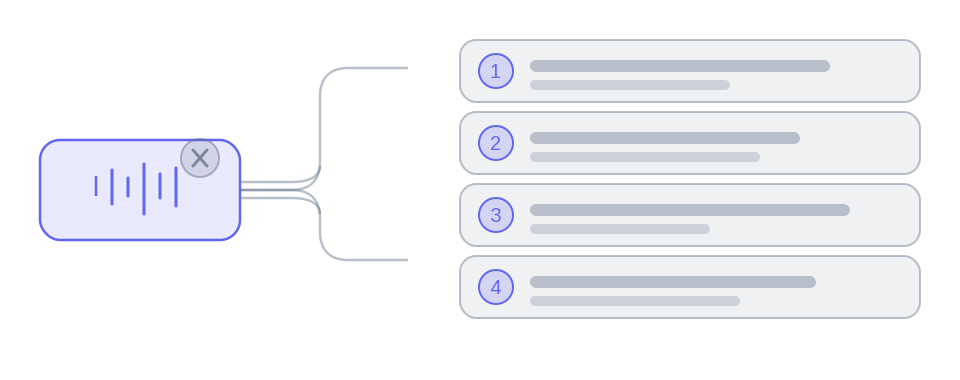
Check the original, the returned tracks and the finished file before deciding whether you need a fresh download or a different player.
Case 1: the saved source has no audio track
Look at the parsed result and the file’s media information. A video-only stream must be paired with usable audio from the same source; if none was returned, the downloader cannot invent it.
Case 2: the player cannot decode the audio
If the file contains an audio track, try a second compatible player. A failure in one player does not prove the file has no sound. Codec errors during merge need a compatible returned track or separate conversion.
Case 3: the original or returned audio is silent
Compare the original and the returned media where possible. Missing or silent source audio cannot be reconstructed by copying tracks. Avoid diagnosing licensing or region rules from silence alone.
Case 4: saving was interrupted
An incomplete file may fail to play or stop early. Check the download status and duration, then try a fresh parse and completed save.
- Do not use file size alone to prove an audio track is present.
- For a merge, keep the page open and check available storage.
- This page does not add sound to an uploaded local file.
Reference
These tables are shared across the site, so a figure you saw on one page is the figure you see here.
| What you see | Likely cause | What to do |
|---|---|---|
| The file plays, but there is no audio at all | A video-only track was saved | Parse again, select a track in the audio list as well, then merge. |
| No merge button appeared | May be a complete file, audio-only media or missing complementary tracks | Follow the actual save action. Missing audio cannot be created, and no merge button alone does not establish a complete video. |
| The merge failed and named a codec | That codec cannot go into an MP4 container | Nothing to retry — SniffVid never transcodes. An editor can re-encode if you need one file. |
| The file plays for a second and stops | The save or the merge was interrupted | Check the free space on the device, then parse the link and save it again. |
Background and edge cases
A useful two-minute checklist
Original has sound → file has an audio track → second player works → download finished. These checks narrow the problem more reliably than repeatedly pressing the same button.
What to include in a failure report
Share the browser, platform, visible error, whether tracks were separate and whether another player works. Keep credentials and session cookies out of the report.