One backend, one answer
Elsewhere a failed parse may simply have missed the backends that were down. Here there is no second opinion to hope for — the response you get is the only one the platform has to give.
Paste a post's link and SniffVid asks the parsers for the media it carries. One thing sets this platform apart from every other page here: a single parsing backend answers for it, which makes the request slower, makes retries less eventful, and makes an honest wait part of the method.
Illustrations show the workflow. Available formats and tracks depend on the actual result.
SniffVid TeamPublished Last reviewed
Paste a link above to see every available video, audio and cover download.
By using SniffVid you agree to our Terms of Service and Privacy Policy
These points describe the current download workflow. See the page-specific verification note below for what was checked; upstream availability and returned tracks can change.
Elsewhere a failed parse may simply have missed the backends that were down. Here there is no second opinion to hope for — the response you get is the only one the platform has to give.
X serves its GIFs as short video files, so the panel lists them like any other video track. What you save is exactly what the post loops, in the format it already plays.
The x.com and twitter.com forms of a status address point at the same post, so nothing needs editing — paste the link in whichever shape the app or the browser hands you.
In the app, open the post and use its share menu to copy the link; on the web, the address bar already holds it. The form is a status address — a user and a post id — under either hostname.
Drop the link into the box on this page and press Get Download Links. Requests here run longer than on the other platform pages; the wait is the single backend working, not a stuck page.
The result lists the video renditions the post carries — one track for an ordinary video, one per video in a multi-video post. Pick the row you want and save it.
Those are the shapes worth pasting. SniffVid accepts any other public http(s) link too — whether it resolves is up to the source, so a profile, a search page or a private post simply comes back empty.
Eyewitness footage posted from the scene saves as the file the platform serves — worth keeping before edits or deletions change the record.
The GIF arrives as the short MP4 it already is underneath, ready for an editor or a message that prefers files to links.
Keep copies of what you published — video and GIF alike — independent of whatever happens to the account.
A creator said yes, so the clip moves into the project folder as a local file instead of a post that may not survive the week.
Every other platform page here is served by several parsing backends that answer independently. This one is served by a single service, and that fact explains most of what is different about the page: the request takes longer, because there is no faster backend to land on; a retry does not gamble on a different answerer, because there is none; and a failure means the one available path failed, not that you were unlucky with one of many. Patience here is not a virtue being recommended — it is a measurement being reported.
The platform changed its domain and kept its posts: the same status id answers under x.com and under twitter.com, and both shapes resolve here without editing. What neither hostname will do is turn a profile, a search or a list into a video — those are pages about posts, not posts carrying media. The address worth pasting names one user and one status id, in either dress.
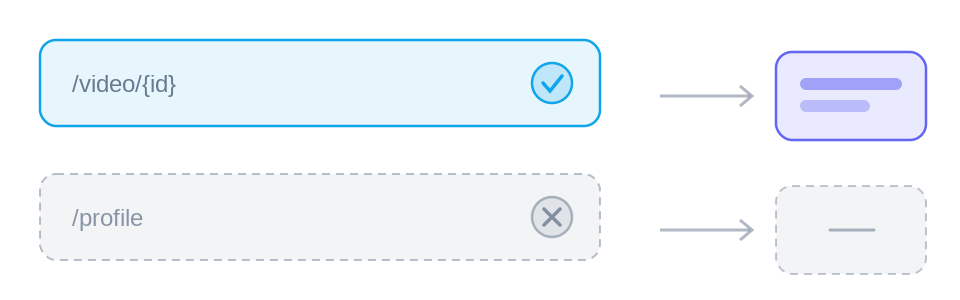
A post carries media in three shapes, and all three arrive as video tracks. An ordinary video is one rendition list. A multi-video post — up to four clips in one post — returns each as its own track, so the panel holds several saveable files. A GIF is the quiet surprise: the platform serves it as a short MP4, so it saves like any other video, in the exact form the post already loops.
A protected account is unreadable from the outside — its posts exist for followers only, and a logged-out parser is not one. Age-gated and region-held posts behave the same way, and a deleted post is simply gone. None of these produce a broken file; they produce no media at all, which is the honest shape of a wall seen from outside.
Only the post named in the link is read. A thread is a chain of separate posts, so a video attached to the fourth reply needs the fourth reply's own address — the link to the first post will not carry it. A quote post returns the media of the quote itself when it carries any; the quoted post is a different address with its own link. When the wrong clip arrives, the fix is almost always a different address rather than a different tool.
On most platforms here the cover frame travels with the tracks. On this one it does not: the result panel shows the title and the track list, and that is the complete answer rather than a trimmed one. The video itself saves exactly as served — no re-encoding, no invented thumbnail, and no format conversion dressed up as a quality step.
A long wait here is the single backend working, not a page about to fail. Closing and re-pasting starts the same request over; letting the first one finish is the faster route.
Protected accounts, age-gated posts, region-held media and deleted posts all produce the same silence, and only one of them shows an error when you open it. A private window settles the question: what it cannot play, the parser cannot fetch.
The GIF in a post saves as the short MP4 the platform serves underneath it, and that is the correct outcome — it is the exact file the post loops. Turning it back into an animated GIF is a separate editing job, not something a download step should silently attempt.
These tables are shared across the site, so a figure you saw on one page is the figure you see here.
| When the platform… | The result panel shows | What you do |
|---|---|---|
| Serves one finished file | A single track with picture and sound already together | Use the offered save action without merging; completion still requires readable media and a supported browser. |
| Splits picture and sound | Two lists: video-only tracks and audio-only tracks | Choose one complementary track of each kind and merge in a supported browser; phones may have storage or memory limits. |
| Needs relaying or blocks browser reads | The same tracks, routed through a short-lived relay link | YouTube and X use relaying by default; merging chooses a transport automatically. For other single-file results, try the relay button if offered. |
| Task | Desktop | Phone | Why |
|---|---|---|---|
| Download a public link | Depends on source/browser | Depends on source/browser | Requires readable media from a provider; the parser does not inherit your platform login. |
| Download a private, paid or DRM-protected video | No | No | The source never hands the media to an anonymous reader, so there is nothing to copy. |
| Save one track | Depends on source/browser | Depends on source/browser | Requires a readable media file and browser saving support; a manifest alone is not a complete file. |
| Merge two tracks into one MP4 | Depends on source/browser | Depends on source/browser | Uses a save picker or temporary browser storage; browser support, quota and memory determine availability. |
| Convert between formats | No | No | No decoding or re-encoding: single files keep their supplied format, while compatible track pairs can be remuxed into MP4. |
| Remove a watermark | No | No | The file is the platform's own copy; nothing is edited or re-encoded on the way through. |
Checked by resolving the same status id under both hostnames, a multi-video post, a GIF post and a protected account, and by timing ordinary requests against the other platforms here, so the single-backend delay described below was measured rather than assumed.
Written and reviewed by SniffVid Team, the people who build and run SniffVid. Guides answer practical questions and are updated as capabilities change. Product promotions are labeled separately. Read the editorial policy
Published · Last reviewed · Content last reviewed
Primary documentation for the claims on this page. Nothing here cites another downloader as an authority on how downloads behave.
Choose another platform page, or try a public media link in the downloader. Availability depends on the parsing service.
SniffVid is an independent tool. It is not affiliated with, endorsed by or sponsored by X Corp., X (Twitter) or any of their affiliates. All trademarks belong to their respective owners.